Assets with context.
Organise equipment by site, location and asset class. Give each asset a permanent number and a clear place in your operation.

LESS FRICTION. MORE FORWARD.
A clear place for small and growing maintenance teams.
Keep track of your equipment, organise day-to-day work and plan the next service. Micro CMMS brings the essentials together, so your team can focus on the job.
Built around the work. From the workshop to the field.
THE ESSENTIALS, TOGETHER
Maintenance starts with knowing your equipment, organising the work and keeping the next service in sight.
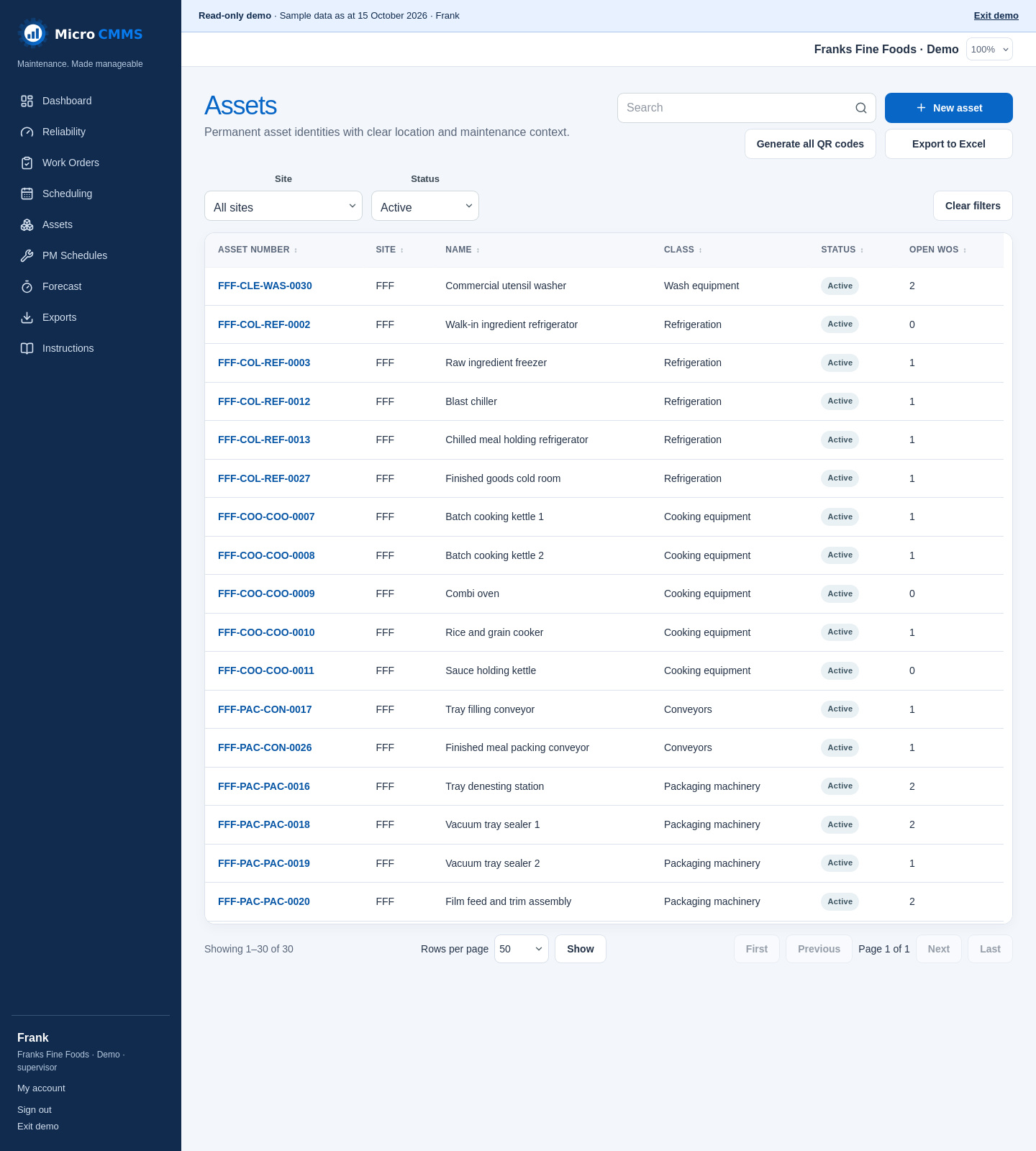
Organise equipment by site, location and asset class. Give each asset a permanent number and a clear place in your operation.
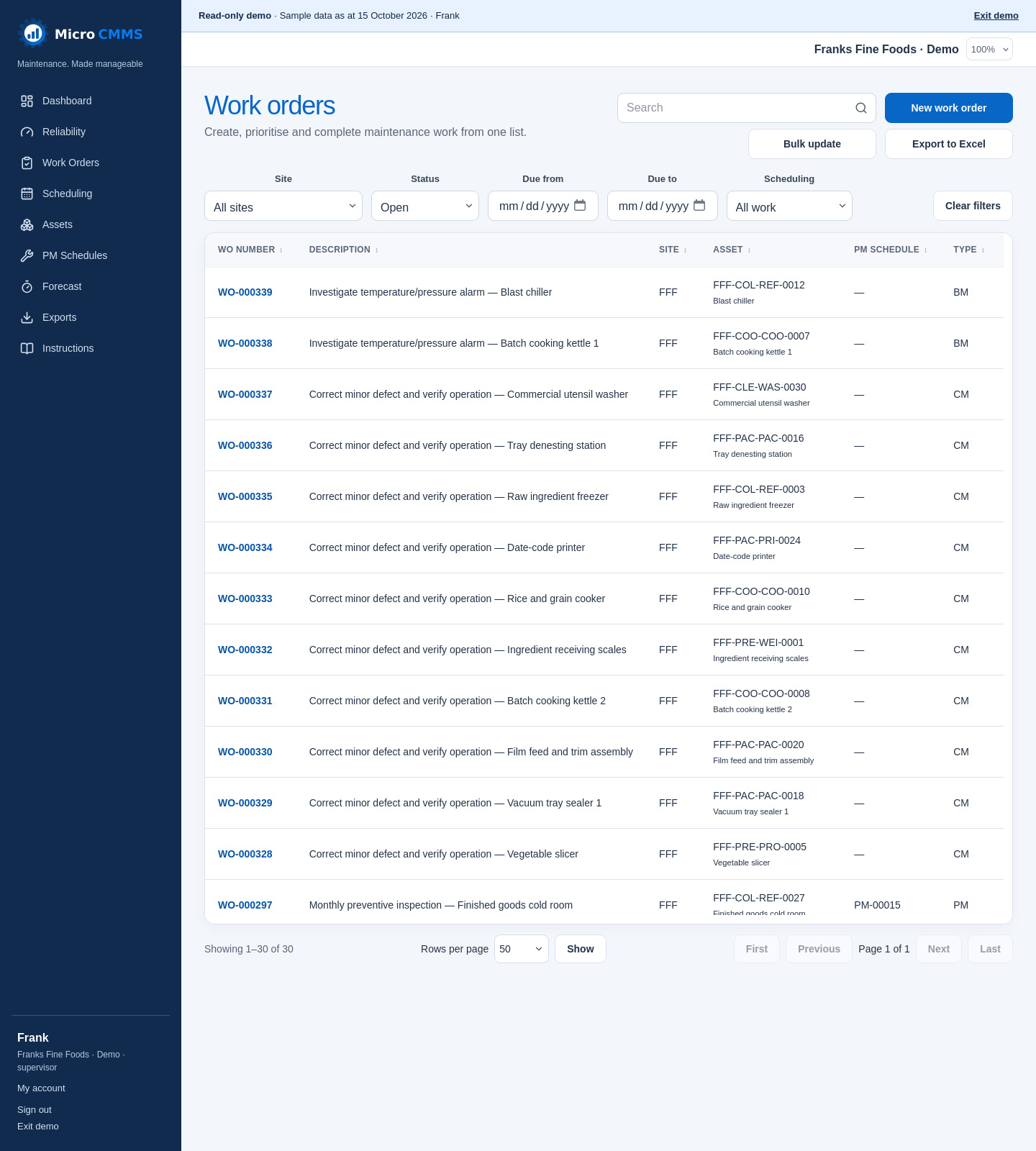
Create work orders, set priorities and teams, and record completion notes. Keep a traceable record of what happened.
Use calendar and meter-based schedules to forecast maintenance and turn upcoming services into work orders.
Keep asset records organised by site, location and asset class. Find equipment details and keep its maintenance work connected.
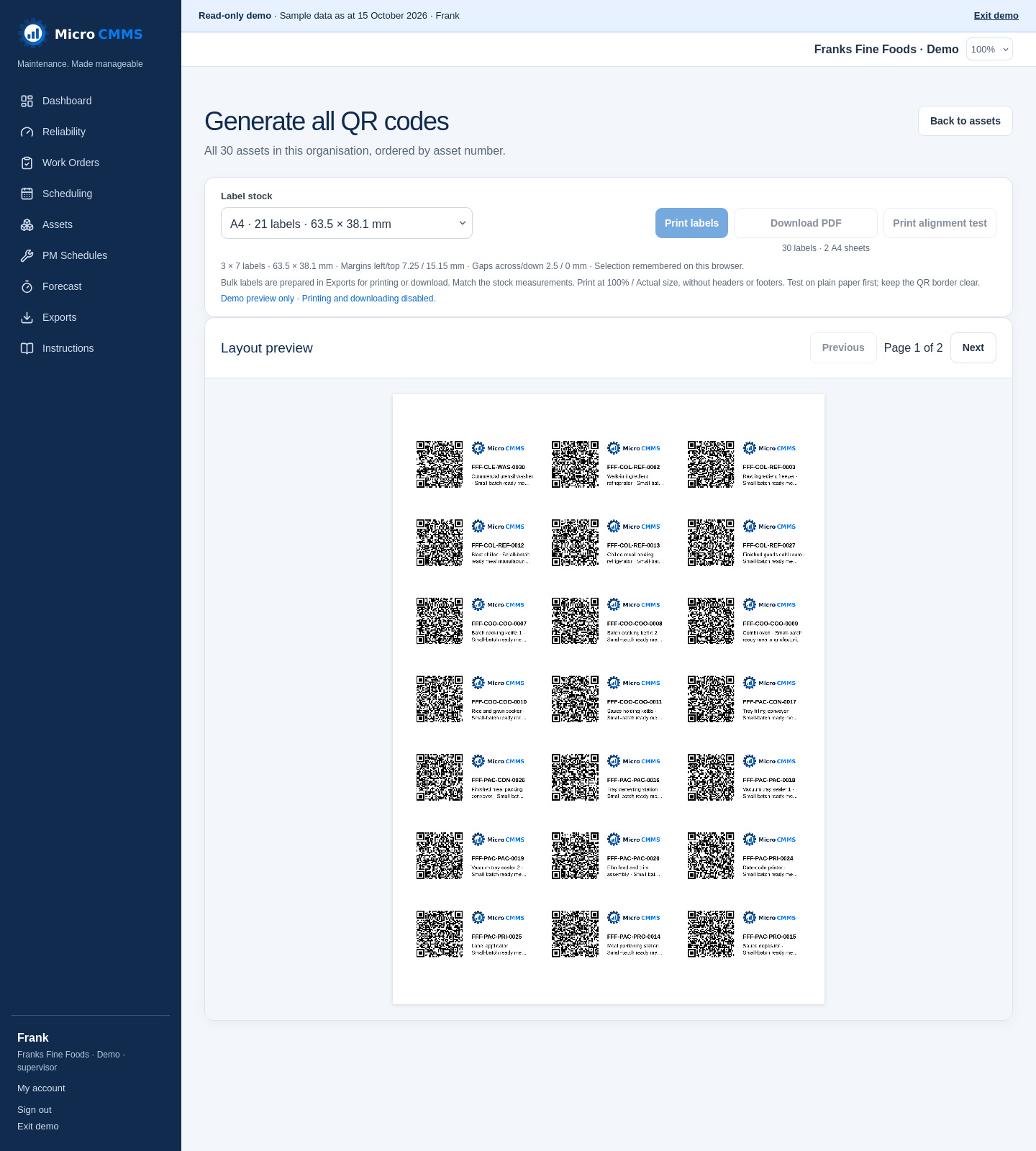
Generate QR labels for your assets and preview the layout on A4 label sheets. Choose label stock and prepare a complete PDF in the background. Collect it from Exports to print on a fresh sheet, then scan a tag from the mobile workspace to find the asset.
Create work orders, set priorities and teams, and record completion notes. See the jobs your team needs to work through.
Set calendar or meter-based preventive maintenance schedules. Use forecasts to see upcoming work and generate work orders.
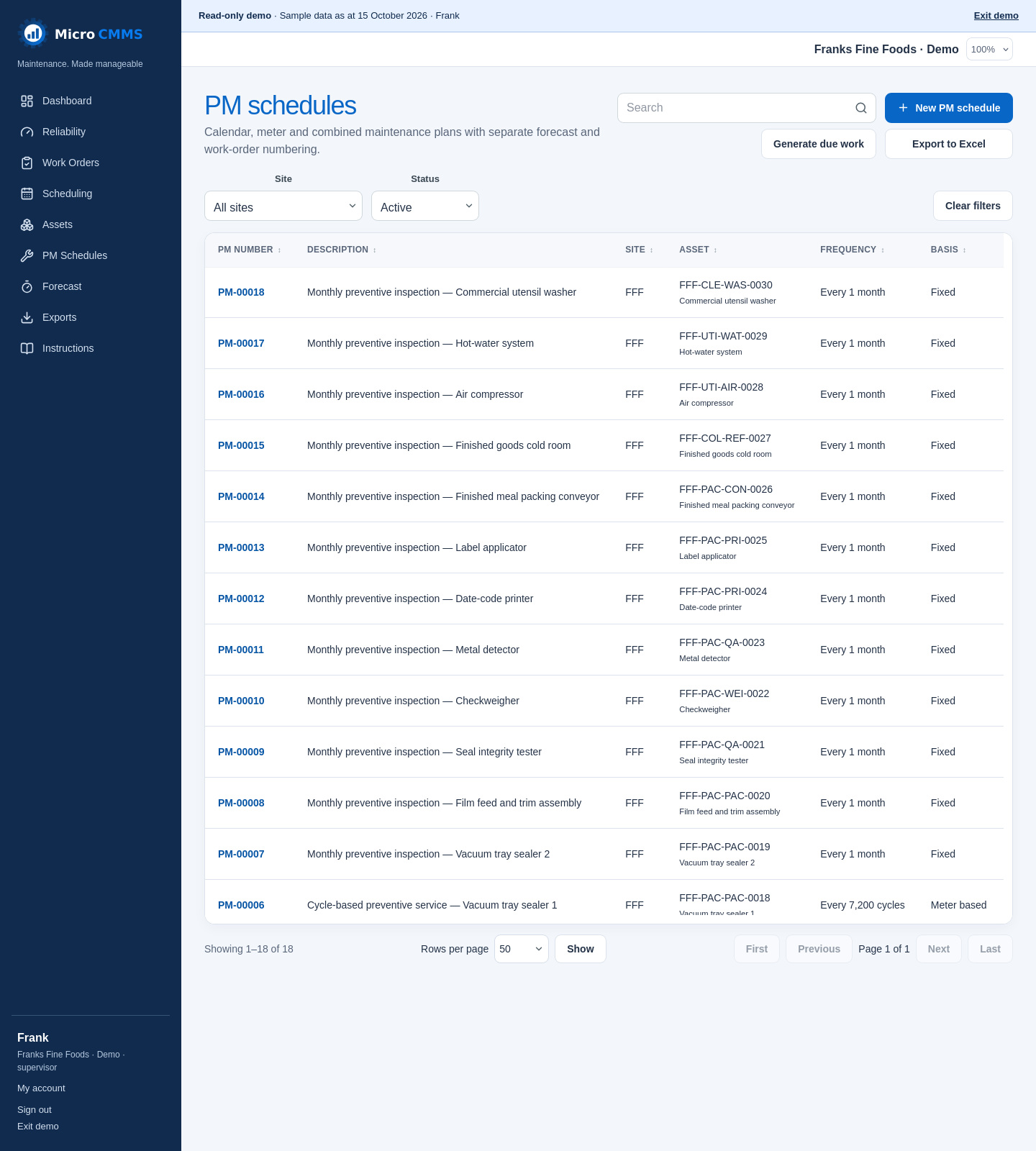
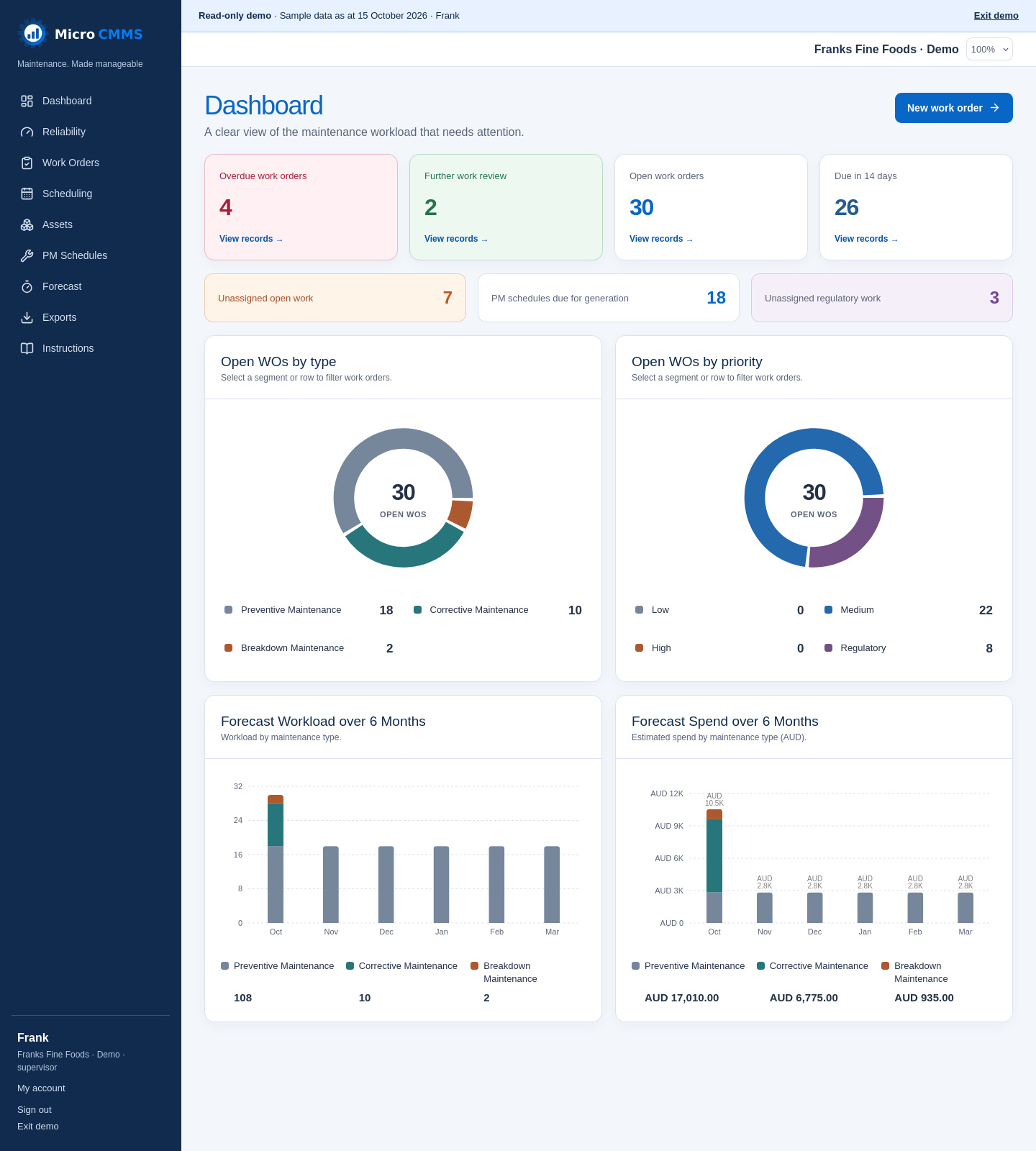
Review open and overdue work, upcoming due dates and the maintenance workload from the dashboard.
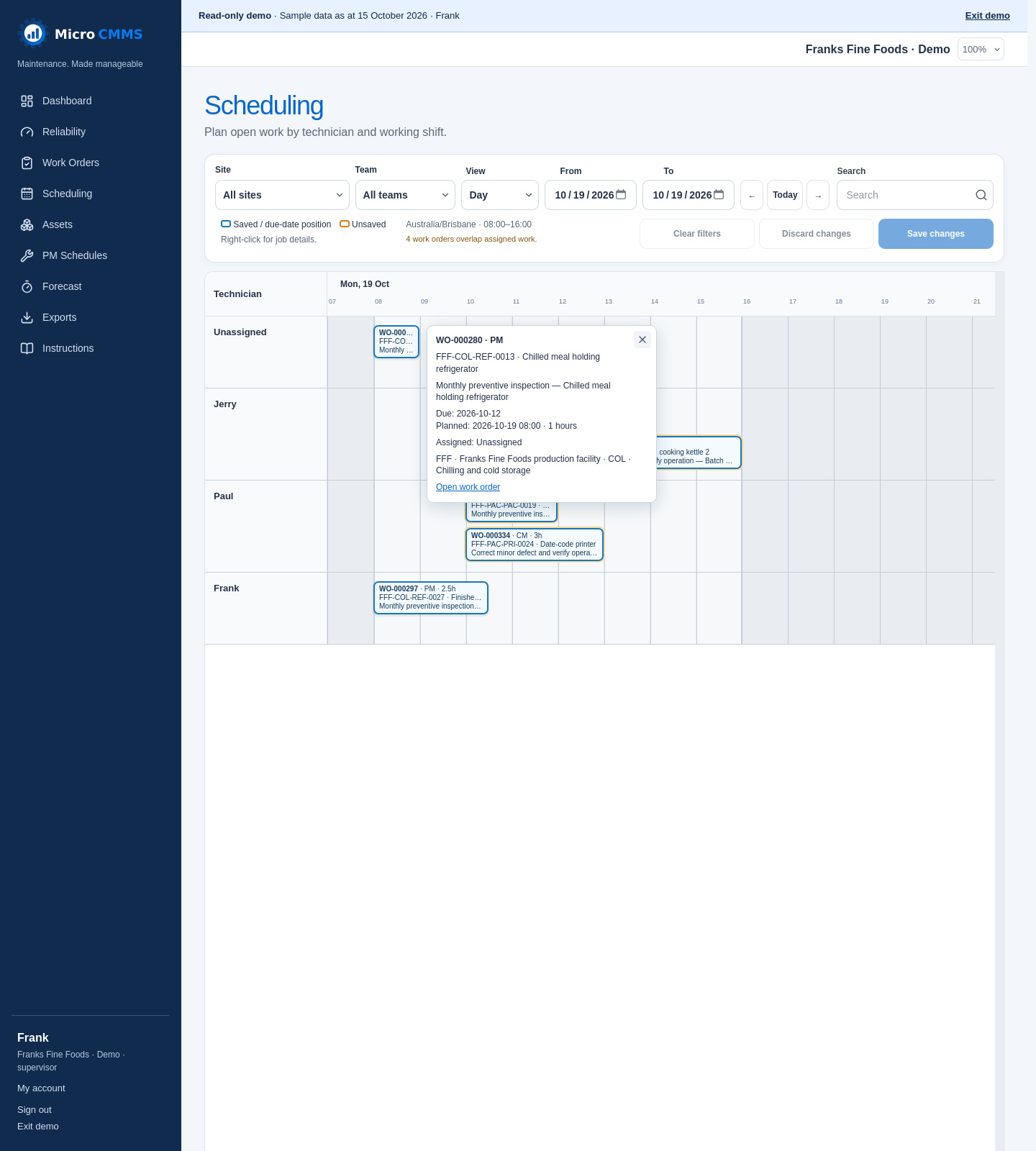
Drag and drop work orders on the scheduling timeline to adjust planned times and technician assignments, then save your changes. Use day, week, fortnight or month views to plan around working shifts and spot overlapping jobs.
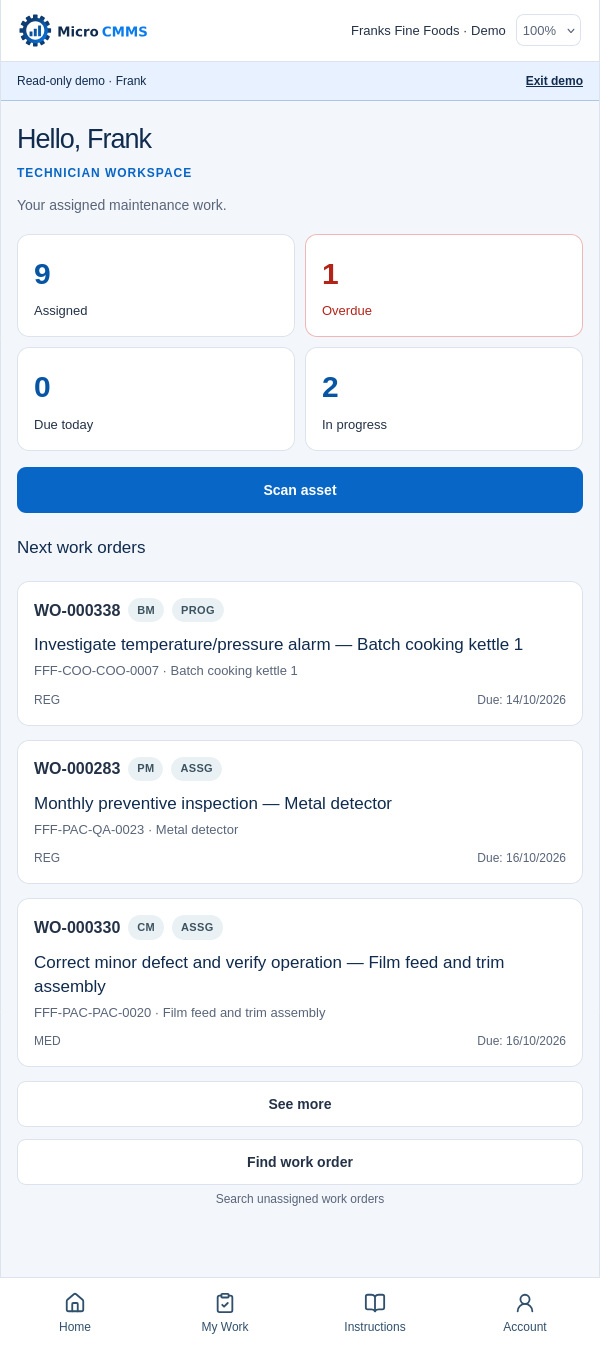
Micro CMMS recognises mobile devices and automatically opens a focused technician workspace. See assigned jobs, check what is overdue or due today, and open work-order details without working through the desktop screens.
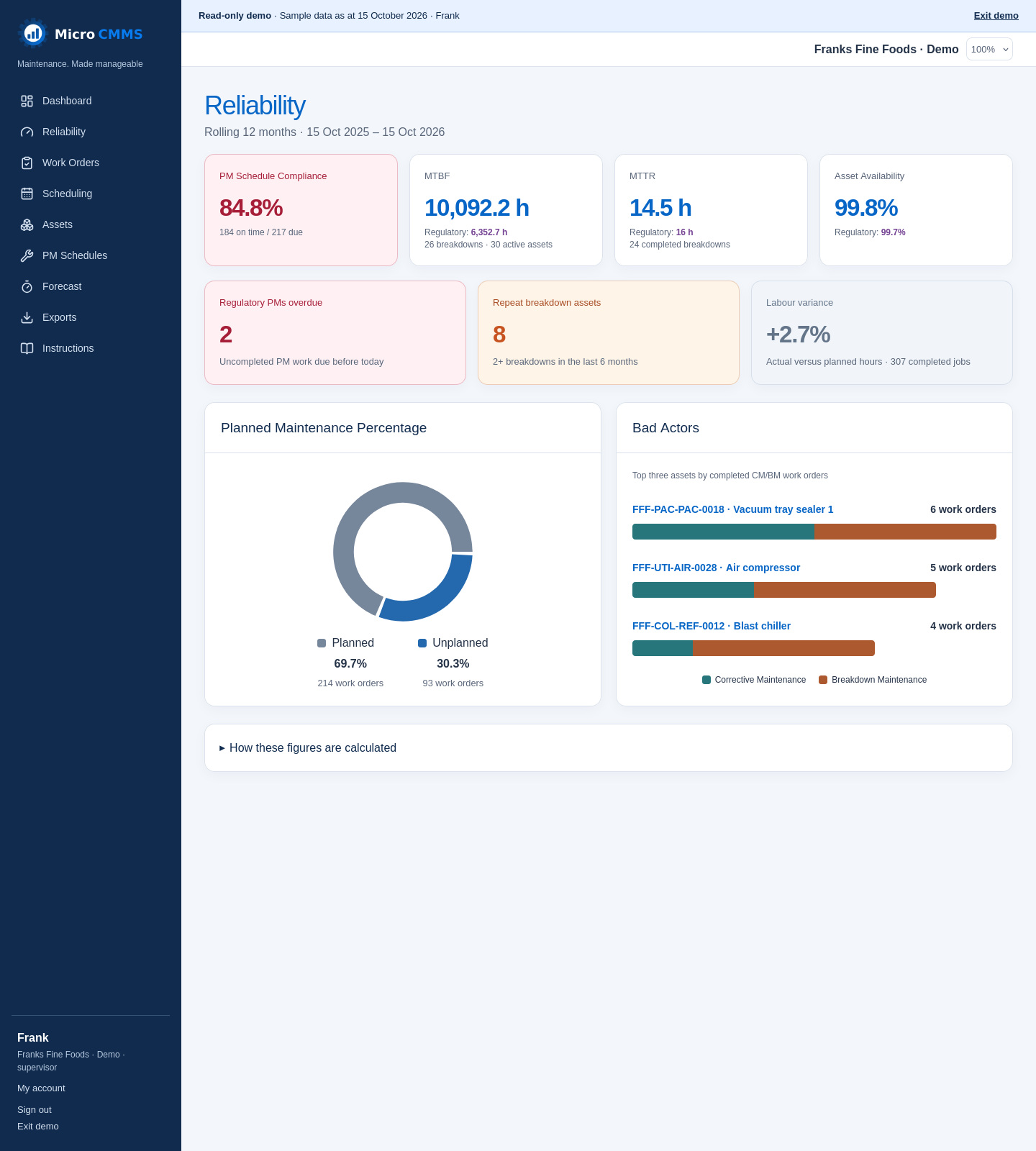
Review PM compliance, breakdown measures and actual versus planned labour. Reliability brings together the last 12 months of maintenance records, with asset rankings and clear definitions to help you understand the figures.
A SIMPLE WAY THROUGH
A connected workflow gives your maintenance work a practical rhythm.
Define your sites, locations, priorities and teams.
Create equipment records and the context your team needs.
Organise work, record completion and plan the next service.
READY FOR THE NEXT JOB?
Bring your assets, work and maintenance plans together.